Tcpping测试工具安装Linux/macOS
Linux安装教程
依次执行下列命令
yum -y install tcptraceroute bc
cd /usr/bin/
wget http://www.vdberg.org/~richard/tcpping
chmod +x tcpping

测试演示

[root@VM-4-5-centos bin]# tcpping www.baidu.com 80
traceroute to www.baidu.com (112.80.248.76), 255 hops max, 60 byte packets
seq 0: tcp response from 112.80.248.76 (112.80.248.76) <syn,ack>  10.215 ms
traceroute to www.baidu.com (112.80.248.76), 255 hops max, 60 byte packets
seq 1: tcp response from 112.80.248.76 (112.80.248.76) <syn,ack>  12.309 ms
traceroute to www.baidu.com (112.80.248.76), 255 hops max, 60 byte packets
seq 2: tcp response from 112.80.248.76 (112.80.248.76) <syn,ack>  10.340 ms
traceroute to www.baidu.com (112.80.248.76), 255 hops max, 60 byte packets
seq 3: tcp response from 112.80.248.76 (112.80.248.76) <syn,ack>  13.710 ms
macOS安装教程
Download & Install
➜ wget https://github.com/paradiseduo/tcping/releases/download/3.3/tcping.zip
➜ unzip tcping.zip
➜ chmod +x tcping
➜ mv tcping /usr/local/bin/
➜ sudo xattr -rd com.apple.quarantine /usr/local/bin/tcping
Usage
➜ tcping --help
      dP                     oo
      88
    d8888P .d8888b. 88d888b. dP 88d888b. .d8888b.    {Version: 3.3}
      88   88       88    88 88 88    88 88    88
      88   88.      88.  .88 88 88    88 88.  .88
      dP   `88888P  88Y888P  dP dP    dP `8888P88
                    88                        .88
                    dP                    d8888P

tcping is a ping over tcp connection.

Examples:
    1. ping over tcp with custom port 10 times
        > tcping www.baidu.com 80
    2. ping over tcp with custom port 5 times
        > tcping -c 5 www.baidu.com 443

USAGE: tcping [--count <count>] <ip> <port>

ARGUMENTS:
    <ip>                    The IP or Domain to tcping.
    <port>                  The port to tcping.

OPTIONS:
    -c, --count <count>     The number of times to repeat 'tcping'. Default value is 10, Max value is 65535
    -h, --help              Show help information.
Examples
with domain
❯ tcping -c 5 baidu.com 443
baidu.com:443 has address: 220.181.38.148:443 - Connected - 32.682ms
baidu.com:443 has address: 220.181.38.148:443 - Connected - 29.372ms
baidu.com:443 has address: 39.156.69.79:443 - Connected - 52.232ms
baidu.com:443 has address: 220.181.38.148:443 - Connected - 28.922ms
baidu.com:443 has address: 220.181.38.148:443 - Connected - 28.975ms
Ping statistics baidu.com:443
    5 probes sent.
    5 successful, 0 failed.
Approximate trip times:
    Minimum = 28.922ms, Maximum = 52.232ms, Average = 34.437ms
with ipv4
❯ tcping -c 5 220.181.38.148 443
220.181.38.148:443 - Connected - 30.635ms
220.181.38.148:443 - Connected - 30.816ms
220.181.38.148:443 - Connected - 28.708ms
220.181.38.148:443 - Connected - 30.713ms
220.181.38.148:443 - Connected - 34.641ms
Ping statistics 220.181.38.148:443
    5 probes sent.
    5 successful, 0 failed.
Approximate trip times:
    Minimum = 28.708ms, Maximum = 34.641ms, Average = 31.103ms
with ipv6
❯ tcping -c 3 ::1 8080
::1:8080 - Connected - 0.502ms
::1:8080 - Connected - 0.432ms
::1:8080 - Connected - 0.752ms
Ping statistics ::1:8080
    3 probes sent.
    3 successful, 0 failed.
Approximate trip times:
    Minimum = 0.432ms, Maximum = 0.752ms, Average = 0.562ms
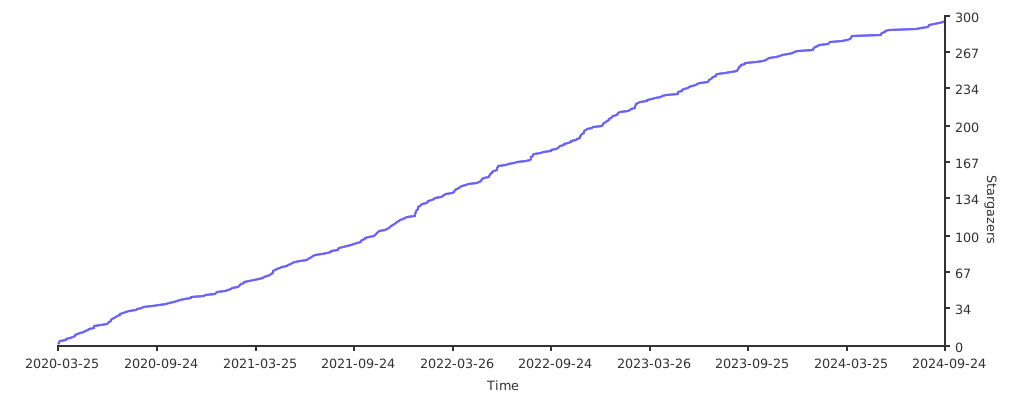
Star Trend
- 感谢你赐予我前进的力量
-
 微信
微信  支付宝
支付宝
赞赏者名单
因为你们的支持让我意识到写文章的价值🙏
阅读建议
评论
匿名评论
隐私政策
你无需删除空行,直接评论以获取最佳展示效果